Introduction
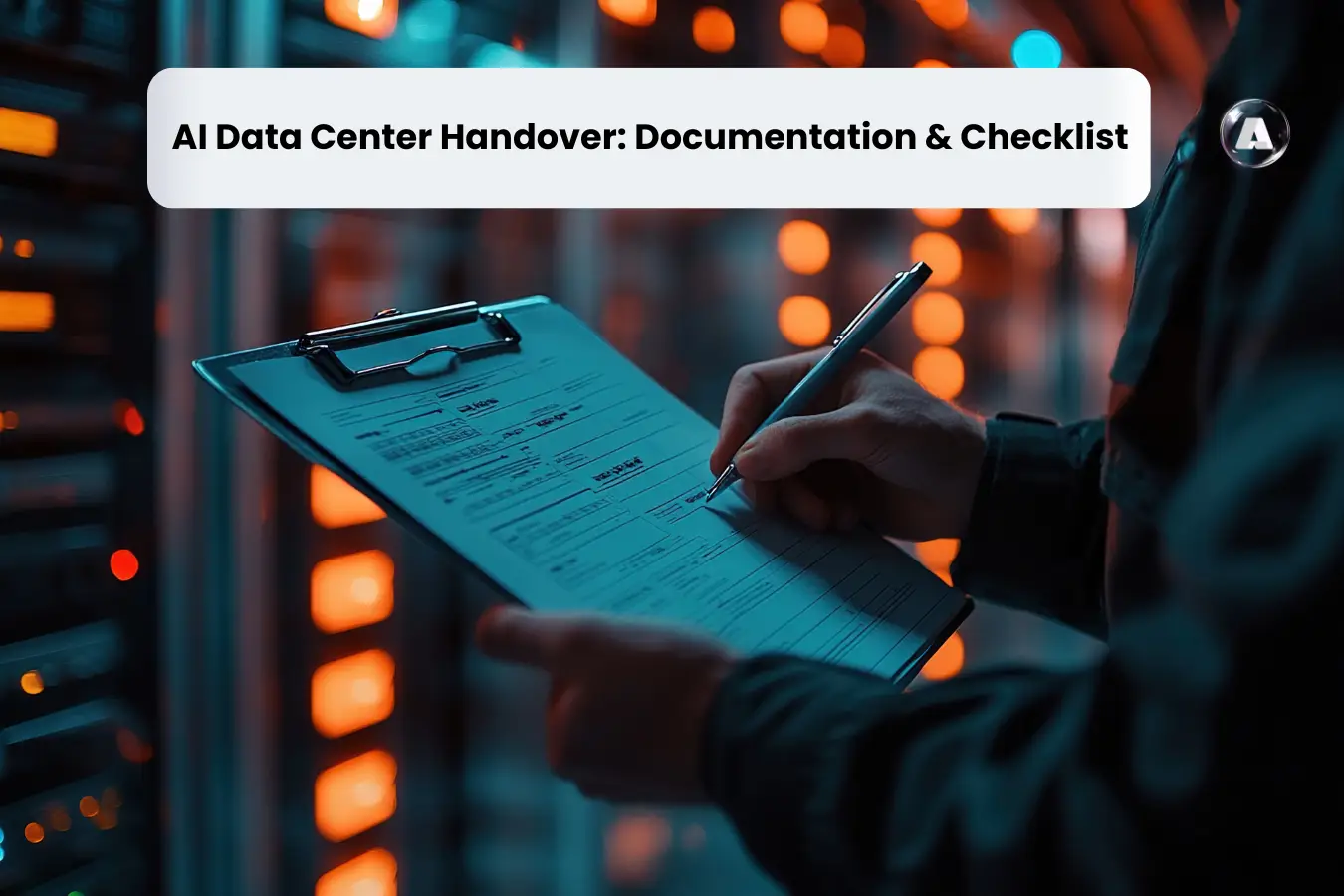
AI data center handover is the point where a newly built or upgraded environment moves from project delivery into operational ownership. As rack densities rise, liquid cooling expands and AI workloads become more dependent on specialized infrastructure, operational teams need stronger evidence that every system is ready for production.
Uptime Institute’s survey found that 87% of organizations experiencing significant, severe outages believed better management or processes could have prevented them. The pressure is even greater for AI infrastructure. 11% of surveyed organizations reported an outage affecting AI training or inference applications, while Uptime Institute’s 2026 research shows more operators are deploying racks with peak densities of 30 kW or higher.
This makes the handover stage critical. Before operations accepts an AI data center, teams need to validate power, cooling, GPU infrastructure, networking, monitoring, documentation, procedures and operational ownership.
This guide covers the data center operations handover process, handover requirements, documentation checklist, AI infrastructure validation, GPU cluster handover, acceptance criteria, and transition to business-as-usual (BAU) operations.
What Is Data Center Operations Handover?
Data center operations handover is the formal transfer of operational responsibility from the project, construction, commissioning, or deployment teams to the organization responsible for running the facility. A typical lifecycle follows:
- The project team builds the environment.
- Commissioning teams test whether systems perform according to their design requirements.
- IT teams validate compute, storage, networking, and software.
- Operations then takes responsibility for maintaining the environment.
A successful handover connects these responsibilities instead of treating them as separate activities.
Why AI Data Center Handover Is Different?
AI data center handover is not a document transfer. It is an operational acceptance process. If the operations team receives 500 pages of drawings but does not know which revision represents the installed configuration, the handover remains incomplete. Similarly, a GPU cluster cannot be considered production-ready because every server has powered on.
AI data centers differ from conventional facilities because compute, power, cooling, networking, and monitoring are tightly interconnected. These dependencies create additional handover requirements that operations teams must validate before accepting the environment.
Here are 5 AI-specific data center handover requirements:
Higher Rack Power Density
AI workloads concentrate substantial compute capacity into relatively small physical footprints. For example, NVIDIA’s GB200 NVL72 combines 72 Blackwell GPUs and 36 Grace CPUs in a rack-scale, liquid-cooled architecture.
During handover, you should therefore validate the following to support the intended GPU load:
- Rack power allocation
- PDU configuration
- Power redundancy
- Breaker coordination
- Rack-level capacity
- Thermal performance
- Power monitoring
- Response to abnormal load conditions
Liquid Cooling Readiness
Liquid cooling changes both infrastructure and operational responsibilities. Uptime Institute identifies direct liquid cooling as a common approach for high rack power, particularly above approximately 50 kW, while rack loads approaching 150 kW generally require predominantly liquid-based cooling solutions. Your AI infrastructure handover should document:
- Coolant distribution units (CDUs)
- Cooling loops
- Flow rates
- Supply and return temperatures
- Leak detection
- Pump redundancy
- Quick-disconnect configuration
- Cooling alarms
- Maintenance procedures
- Emergency response procedures
The handover should also define ownership between facilities and IT teams. Since the liquid-cooled GPU failure may involve both infrastructure and compute personnel, escalation boundaries must be explicit.
GPU and Accelerator Dependencies
A GPU server can be physically healthy but still have problems caused by incompatible firmware, drivers, BIOS, BMC, OS, or software versions. So, the handover needs to preserve a known-good configuration. The handover package should include:
- GPU inventory
- Serial numbers
- Rack and U-position
- GPU firmware
- BIOS versions
- BMC versions
- Driver versions
- Operating system configuration
- Approved software stack
- Cluster management configuration
- GPU health monitoring
A version mismatch can affect performance or compatibility even when individual servers appear healthy.
High-Speed AI Networking
AI workloads depend heavily on communication between GPUs. For example, NVIDIA’s GB200 NVL72 architecture uses a 72-GPU NVLink domain designed for tightly coupled GPU communication. So, your validation process should therefore cover InfiniBand, RoCE Ethernet, NVLink-based connectivity, port mapping, fabric health, bandwidth, latency, and redundancy.
The network handover should document physical topology alongside logical configuration. That gives operations teams a reference when diagnosing a failed link, switch port, fabric path, or GPU node.
More Complex Monitoring and Telemetry
This is probably the most important operational difference. On-premise data center monitoring may focus on power, temperature, humidity, servers, and network devices. AI infrastructure adds GPU health, GPU temperature, GPU power, memory errors, fabric health, cluster status, and workload-level metrics. Hence, operations needs to correlate information across facility, IT, network, and GPU monitoring systems.
For example, a GPU overheating could be caused by a cooling problem, airflow issue, pump failure, sensor problem, or GPU-level fault. The handover should give operations enough information to trace that relationship.
AI Data Center Handover Roadmap
With a structured data center handover roadmap, you can identify what must happen before operational acceptance.
| Stage | Primary Activity | Required Evidence | Exit Criteria |
| Design | Define operational requirements | Design documents | Requirements approved |
| Construction | Build facility | Construction records | Physical work complete |
| Installation | Deploy infrastructure | Installation records | Equipment installed |
| Commissioning | Test individual systems | Test reports | Systems pass testing |
| Integrated Testing | Test dependencies | Integrated test results | Failure scenarios validated |
| Operational Readiness | Prepare operations | SOPs, MOPs, EOPs | Team ready |
| Handover | Transfer ownership | Acceptance package | Sign-off complete |
| Stabilization | Monitor production | Incident and performance data | Major gaps resolved |
| BAU Operations | Run environment | KPIs and maintenance records | Normal operations established |
The key principle is to establish exit criteria before each stage begins. This prevents teams from reaching the final handover meeting only to discover missing documentation or unresolved test failures.
AI Data Center Handover Roadmap
Your data center handover requirements should specify the following four broad areas:
Facility and Infrastructure Documentation
This documentation covers the physical data center and supporting infrastructure required to operate the facility. It should include:
- Electrical single-line diagrams
- Mechanical drawings
- Cooling documentation
- Fire and life-safety systems
- Security systems
- Structured cabling
- Equipment schedules
- As-built drawings
The final documentation should represent what was actually installed rather than what the original design intended.
IT Infrastructure Documentation
This package includes the IT equipment and technology environment deployed in the data center and it documents:
- Servers
- Storage
- Network devices
- GPU clusters
- Management systems
- Out-of-band management
- IP addressing
- Network topology
- Configuration baselines
For AI infrastructure, include the approved firmware and software matrix.
Operational Documentation
This emphasis on procedures and operational information that data center teams need to safely run, maintain, troubleshoot, and manage the environment after handover. It covers:
- SOPs
- MOPs
- EOPs
- Preventive maintenance procedures
- Incident response procedures
- Escalation matrix
- Vendor contacts
- Spare-parts information
Testing and Commissioning Evidence
Proof that the installed infrastructure has been tested, commissioned, corrected, and formally accepted before the operational team takes ownership. The project should transfer:
- Commissioning records
- Test procedures
- Test results
- Deficiency logs
- Corrective actions
- Integrated systems testing results
- Final acceptance records
AI Data Center Handover Documentation Checklist
The following data center handover documentation provides a practical baseline for operational acceptance.
| Documentation Category | What Operations Should Receive |
| As-built documentation | Final architectural, electrical, mechanical, cooling, and network drawings |
| Asset register | Equipment IDs, serial numbers, locations, ownership |
| Configuration baseline | Approved equipment and system configurations |
| Commissioning records | Test procedures, results, deficiencies, acceptance evidence |
| Warranty records | Warranty periods, coverage, contacts |
| Vendor information | OEM contacts, contracts, support details |
| SOPs | Routine operating procedures |
| MOPs | Maintenance and planned-change procedures |
| EOPs | Emergency operating procedures |
| BMS documentation | Points list, alarms, graphics, configurations |
| EPMS documentation | Electrical monitoring and alarm configuration |
| DCIM documentation | Assets, capacity, monitoring information |
| Monitoring baseline | Normal operating ranges and thresholds |
| Alarm matrix | Priorities, actions, escalation |
| Incident response | Response procedures and ownership |
| Escalation matrix | Contact hierarchy and response requirements |
The above-mentioned complete handover can be organized into eight core packages:
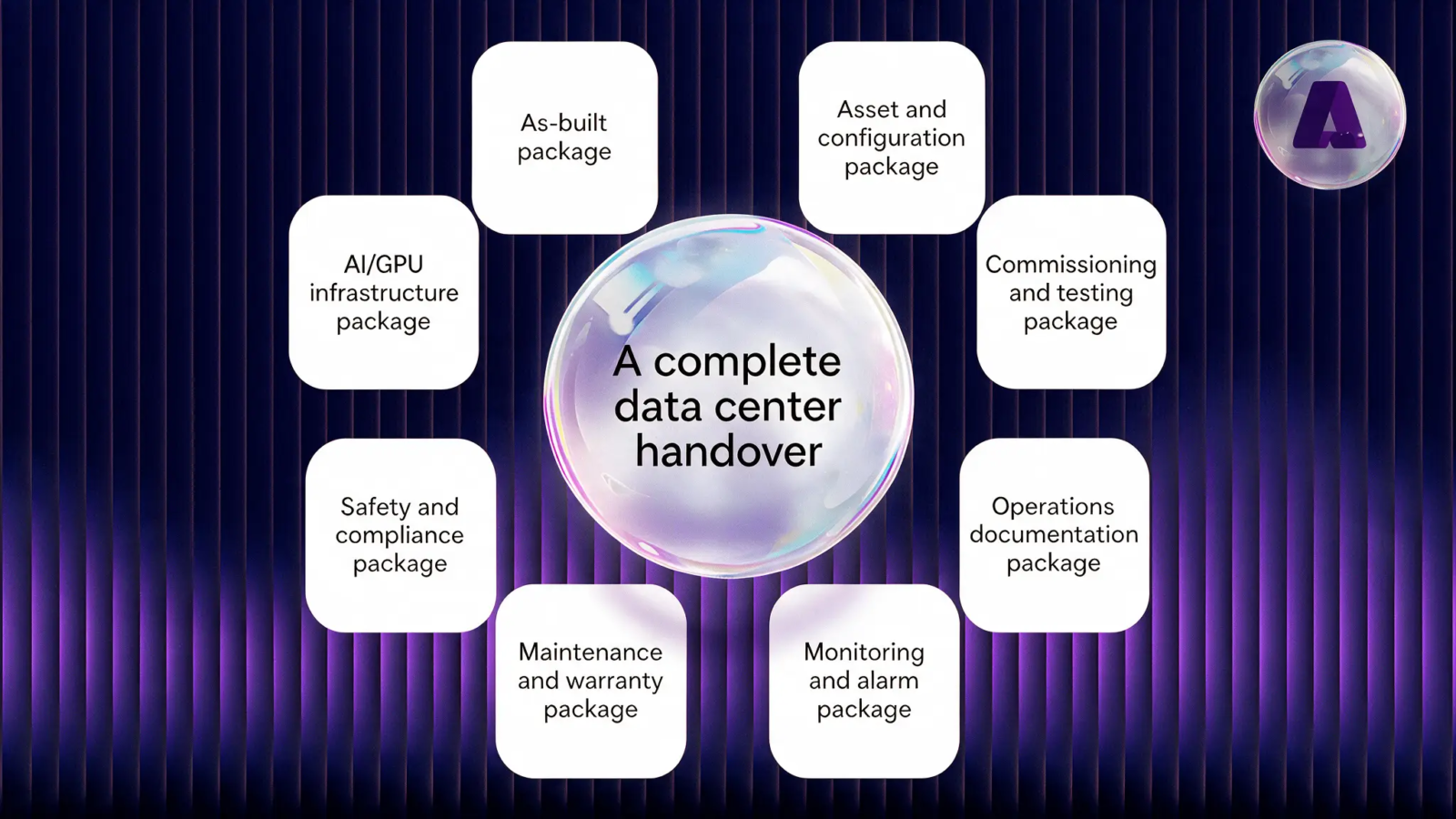
The eighth package, which is AI/GPU infrastructure, deserves particular attention in an AI facility. It should document GPU inventory, firmware, drivers, cluster configuration, network topology, performance benchmarks, telemetry, and approved configuration versions.
Now, let’s check out a sample AI data center document checklist:
| Section | Handover Document | Key Information to Capture | Status |
| 1. Project & Site Information | Project completion certificate | Project name, site, completion date, stakeholders | ☐ |
| As-built drawings | Final architectural, electrical, mechanical and network layouts | ☐ | |
| Equipment inventory | Asset ID, manufacturer, model, serial number, rack location | ☐ | |
| Site acceptance certificate | Client and contractor acceptance records | ☐ | |
| 2. Power Infrastructure | Single-line diagrams | Utility, UPS, PDU, busway and rack-level power distribution | ☐ |
| UPS documentation | Capacity, redundancy, battery specifications and test results | ☐ | |
| PDU documentation | Ratings, configurations and monitoring details | ☐ | |
| Generator documentation | Capacity, fuel system, ATS and load-test results | ☐ | |
| Power quality reports | Voltage, frequency, harmonics and load measurements | ☐ | |
| 3. AI/GPU Infrastructure | GPU server inventory | GPU model, quantity, server configuration and serial numbers | ☐ |
| GPU validation report | GPU health, temperature, power and performance results | ☐ | |
| GPU cluster configuration | Node configuration, GPU topology and cluster mapping | ☐ | |
| Firmware/driver matrix | GPU firmware, BIOS, drivers and CUDA versions | ☐ | |
| GPU burn-in test results | Stress testing and thermal-performance results | ☐ | |
| 4. Cooling & Thermal Management | Cooling system documentation | CRAC/CRAH, liquid cooling, CDU or immersion configuration | ☐ |
| Cooling capacity report | Designed vs. actual cooling capacity | ☐ | |
| Thermal validation report | GPU, CPU, rack inlet/outlet temperatures | ☐ | |
| Liquid cooling documentation | Coolant type, flow rate, pressure and leak-test results | ☐ | |
| PUE/WUE baseline | Initial power and water efficiency measurements | ☐ | |
| 5. Network Infrastructure | Network topology | Spine-leaf, InfiniBand/Ethernet and management networks | ☐ |
| Switch configuration | Switch models, ports, firmware and configurations | ☐ | |
| InfiniBand validation | Link status, bandwidth and latency test results | ☐ | |
| Network performance report | Throughput, packet loss and latency measurements | ☐ | |
| IP addressing/VLAN register | IP ranges, VLANs, subnets and management interfaces | ☐ | |
| 6. Storage & Data Infrastructure | Storage inventory | Storage systems, capacity and configuration | ☐ |
| Storage performance report | IOPS, bandwidth and latency | ☐ | |
| Backup configuration | Backup schedules, retention and recovery procedures | ☐ | |
| Data protection documentation | Encryption, access controls and backup policies | ☐ | |
| 7. AI Software Stack | OS configuration | Operating system and approved versions | ☐ |
| Container platform | Kubernetes/container runtime configuration | ☐ | |
| AI framework validation | PyTorch, TensorFlow and related framework versions | ☐ | |
| CUDA/NVIDIA stack | CUDA, drivers, libraries and compatibility matrix | ☐ | |
| AI orchestration configuration | Scheduler, workload management and resource allocation | ☐ | |
| 8. Monitoring & Observability | Infrastructure monitoring | CPU, GPU, memory, power and temperature monitoring | ☐ |
| GPU monitoring | GPU utilization, memory, temperature and power metrics | ☐ | |
| Network monitoring | Bandwidth, latency, errors and link health | ☐ | |
| Cooling monitoring | Temperature, pressure, flow and leak detection | ☐ | |
| Alert configuration | Thresholds, escalation rules and notification channels | ☐ | |
| 9. Automation | DCIM/BMS integration | Integration status and monitored systems | ☐ |
| Automated remediation | Approved automated actions and runbooks | ☐ | |
| Capacity monitoring | Power, cooling, rack and GPU capacity dashboards | ☐ | |
| Incident automation | Alert-to-ticket and escalation workflows | ☐ | |
| 10. Security | Physical security validation | CCTV, access control and restricted zones | ☐ |
| Network security | Firewall, segmentation and access controls | ☐ | |
| Identity & access management | User roles, privileged access and authentication | ☐ | |
| Security baseline | Hardening, vulnerability and compliance reports | ☐ | |
| 11. Testing & Commissioning | Integrated systems testing | Power, cooling, network and compute integration | ☐ |
| Failure scenario testing | UPS failure, cooling failure and network failure tests | ☐ | |
| Load testing | AI/GPU workload and high-density rack testing | ☐ | |
| Disaster recovery testing | Backup, failover and recovery validation | ☐ | |
| 12. Operations Handover | SOPs | Standard operating procedures | ☐ |
| MOPs | Method of procedure for planned maintenance | ☐ | |
| EOPs | Emergency operating procedures | ☐ | |
| Incident response runbooks | Fault detection, escalation and remediation steps | ☐ | |
| Maintenance schedule | Preventive maintenance intervals | ☐ | |
| 13. Final Handover | Outstanding issues register | Open defects, owners and closure dates | ☐ |
| Warranty documents | Equipment warranties and support contracts | ☐ | |
| Vendor contacts | OEM, integrator and support escalation contacts | ☐ | |
| Training records | Operations team training and knowledge transfer | ☐ | |
| Final acceptance certificate | Client sign-off and operational acceptance | ☐ |
AI Data Center Operational Readiness Checklist
AI data center operational readiness is the gate between commissioning and production operations. You should assess the following readiness test across the facility, IT environment, monitoring layer, and operations team.
| Facility | IT infrastructure | Monitoring | Operations |
| Power systems tested | Servers installed | BMS connected | Approved standard operating procedures (SOPs)
Examples include: Daily facility checks, GPU health review, monitoring review, capacity checks, standard equipment inspections |
| Cooling systems validated | Network connectivity validated | EPMS connected | Approved method of procedures (MOPs)
Examples include: GPU firmware upgrades, network switch maintenance, cooling-system maintenance, planned server replacement, power-system work |
| Liquid cooling operational | Storage available | DCIM populated | Approved emergency operating procedures (EOPs)
AI-specific EOPs may cover: GPU node failure, GPU thermal event, liquid cooling failure, network fabric failure, power distribution failure, BMS/DCIM monitoring failure, loss of redundant cooling, cluster-wide hardware failure |
| Fire and life safety complete | Monitoring interfaces operational | Monitoring dashboards operational | Shift procedures |
| Physical security operational | Configuration baseline approved | Alarm threshold established | Tested escalation paths |
| Redundancy tested | GPU inventory reconciled | Alert routing tested | Vendor contacts |
| Environmental monitoring operational | – | GPU telemetry available | Spare-parts availability |
Commissioning vs. Handover: What Is the Difference?
The difference between commissioning and handover is primarily their purpose.
| Commissioning | Handover |
| Proves systems operate as designed | Proves operations can run and maintain them |
| Focuses on testing | Focuses on operational ownership |
| Generates test evidence | Transfers operational documentation |
| Identifies deficiencies | Confirms readiness and acceptance |
| Led largely by project/Cx teams | Requires operations participation |
Commissioning establishes evidence about system performance, while handover converts that evidence into operational ownership. Commissioning proves that the infrastructure works. On the flip, handover proves that the operations team is ready to run it.
Common Data Center Handover Gaps
Several data center operations challenges repeatedly create problems after project completion.
- Inaccurate Documentation: Incomplete as-built drawings, outdated asset registers, and missing configuration baselines make troubleshooting slower. Operations can also receive technically correct documents that no longer match the installed environment.
- Incomplete Testing: Unclosed commissioning deficiencies, untested alarms, and missing performance baselines can remain hidden until production workloads expose them.
- AI environments Risks: GPU firmware may not be documented, network topology may differ from final drawings, liquid-cooling procedures may lack operational ownership, and monitoring may not cover the metrics required to identify GPU or fabric problems.
Aptly Technology: Supporting AI Data Center Handover and Operational Readiness
A successful AI data center handover requires more than transferring documentation. It requires validated infrastructure, accurate configuration records, operational procedures, and a clear transition into day-to-day support. Aptly Technology helps organizations bridge this gap by supporting AI infrastructure from deployment through operational readiness.
It provides AI data center buildout & support across GPU rack deployment, network integration, power and cooling coordination, cluster validation, commissioning, documentation, and operational readiness. Its experience supporting GPU infrastructure, InfiniBand networks, and AI-optimized environments helps ensure that deployed infrastructure is validated and properly documented before it moves into production operations.
For AI data centers, this approach helps reduce the risk of handover gaps between deployment and operations. Aptly can support infrastructure validation, testing, documentation, monitoring setup, and operational transition so that operations teams receive an environment that is ready to manage.
Conclusion
AI data center handover ensures that infrastructure, documentation, procedures, monitoring, and operations teams are fully prepared for production. Starting readiness activities early helps identify gaps, validate performance, and create a smoother transition to ongoing operations.
For organizations building high-density AI environments, Aptly Technology can support deployment, validation, commissioning, documentation, and operational readiness—helping turn complex AI infrastructure into a production-ready environment.
Ready to strengthen your AI data center handover? Talk to Aptly Technology to support your AI infrastructure from buildout to ongoing operations.
FAQs
Q1: What is data center operations handover?
Data center operations handover is the formal transfer of infrastructure, documentation, configurations, test evidence, procedures, risks, and operational responsibility from project teams to the operations team.
Q2: What should be included in a data center handover?
A data center handover should include as-built drawings, asset registers, configuration baselines, commissioning records, warranties, vendor information, SOPs, MOPs, EOPs, monitoring documentation, alarm matrices, maintenance procedures, and escalation contacts.
Q3: What documents are required for data center handover?
The required documentation typically includes facility drawings, IT infrastructure records, asset inventories, configuration baselines, commissioning results, deficiency records, maintenance procedures, monitoring configurations, warranties, vendor contacts, and operational runbooks.
Q4: What is operational readiness in a data center?
Operational readiness confirms that the facility, IT infrastructure, monitoring systems, procedures, documentation, personnel, and support processes are prepared to operate the environment after commissioning.
Q5: What is the difference between commissioning and handover?
Commissioning verifies that systems perform according to their design and testing requirements. Handover transfers operational ownership and confirms that the receiving team has the documentation, knowledge, procedures, monitoring, and support needed to operate those systems.
Q6: What changes in an AI data center handover?
AI data center handover adds GPU hardware validation, high-density power checks, liquid-cooling readiness, high-speed network validation, firmware and driver baselines, GPU telemetry, cluster testing, and AI workload performance benchmarks.
Q7: What should be validated before an AI data center goes live?
Before an AI data center goes live, validate facility systems, power, cooling, GPU infrastructure, storage, networking, monitoring, alarms, operational procedures, emergency responses, configuration baselines, cluster performance, and support escalation.
Q8: Should operations participate in commissioning?
Yes. Operations should participate in commissioning to witness tests, review procedures, validate alarms, understand failure modes, confirm monitoring, and identify documentation gaps before formal acceptance.
Q9: What documentation is needed for GPU cluster handover?
GPU cluster handover documentation should include GPU inventory, serial numbers, rack locations, firmware, BIOS/BMC versions, driver versions, software baselines, network topology, InfiniBand or RoCE configuration, NVLink connectivity, telemetry, performance benchmarks, and approved cluster configurations.
Table of content
- TL; DR
- Introduction
- What Is Data Center Operations Handover?
- Why AI Data Center Handover Is Different?
- AI Data Center Handover Roadmap
- AI Data Center Handover Roadmap
- AI Data Center Handover Documentation Checklist
- AI Data Center Operational Readiness Checklist
- Commissioning vs. Handover: What Is the Difference?
- Common Data Center Handover Gaps
- Aptly Technology: Supporting AI Data Center Handover and Operational Readiness
- Conclusion
- FAQs